Preferences and notifications
Open Settings to change workspace preferences. The section navigation includes General, AI Workspace, Agent Access, Whitelabel, Rate Limits, Notifications, and Safety. Some sections depend on plan access.
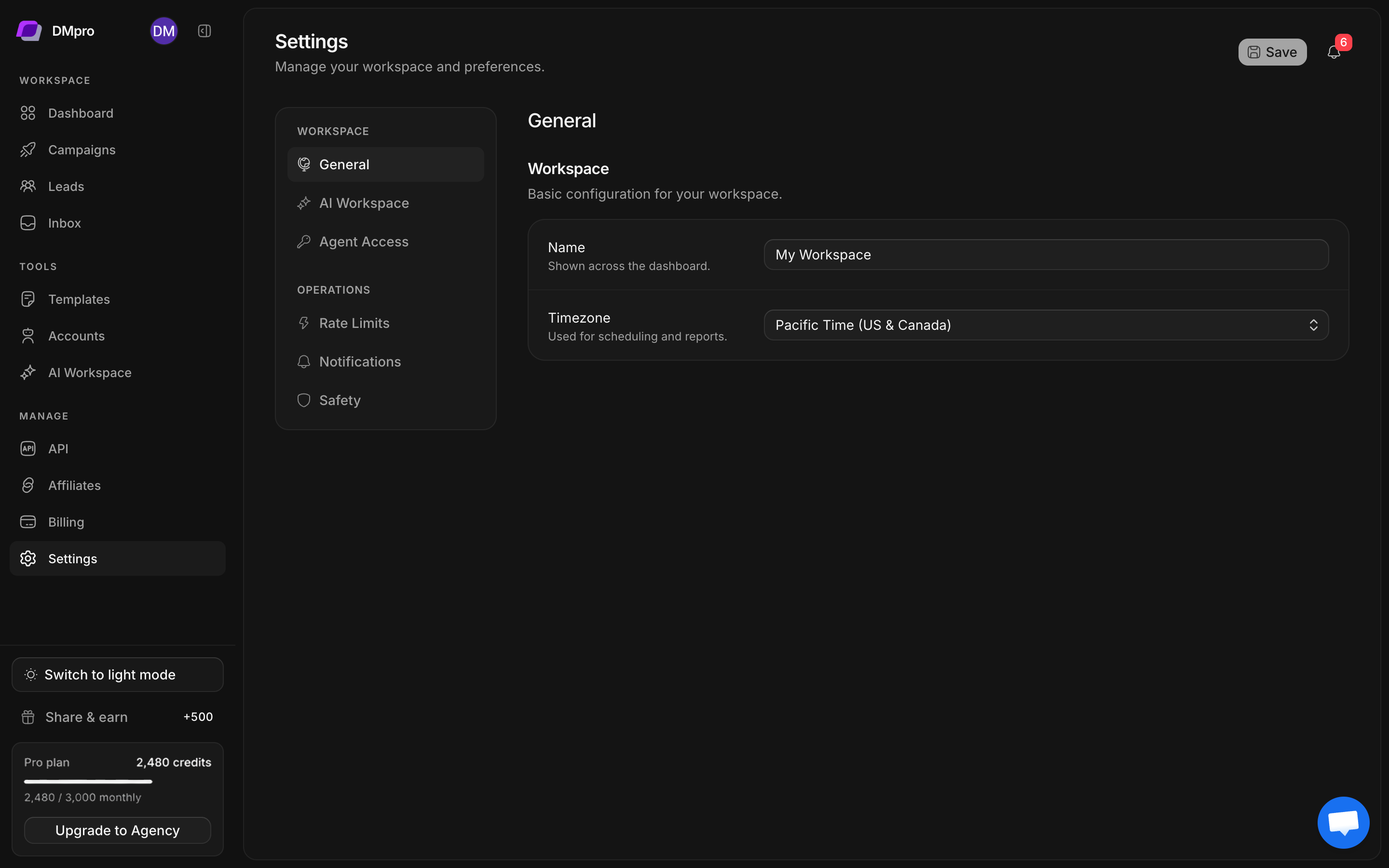
Update general preferences
- Open Settings → General.
- Check the workspace name.
- Choose an available timezone for workspace preferences.
- Select Save and confirm the saved state.
Dashboard reporting and the account-usage reset countdown explicitly show UTC. Changing a preference does not change the meaning of a UTC label elsewhere.
Review notifications
Open Notifications and inspect the available in-app and email settings. Events include new replies, completed campaigns, daily summaries, account warnings, and session expiry.
Choose the events you need, check the notification email address, and save. An email address alone does not enable the email-notification toggle. Read both settings.
Telegram setup
If using the Telegram integration, follow its bot-setup instructions, enter the bot token in the integration form, and complete the connection and chat-verification steps offered there. Review event toggles and daily or weekly report timing before saving.
Keep the bot token private. Use the integration’s test action when available to confirm delivery before relying on Telegram for escalation alerts.
Review rate limits and safety
Inspect Rate Limits for sending settings supported by the workspace. Check Safety for the account-safety and pause controls that are actually available. Read-only information or a disabled control is not evidence that a change has been applied.
Changes to local preferences do not override plan allowances, account health, or X restrictions. Check the saved value and affected account before resuming an interrupted campaign.
White-label and agent access
Whitelabel is marked as an Agency feature in the current app. Review the controls and preview before applying your branding. Agent Access provides integration setup and account-scoped API keys when allowed by the plan.
For business context and AI reply modes, use the dedicated AI Workspace guides. For key creation, see API and agent access.