Manage accounts and sessions
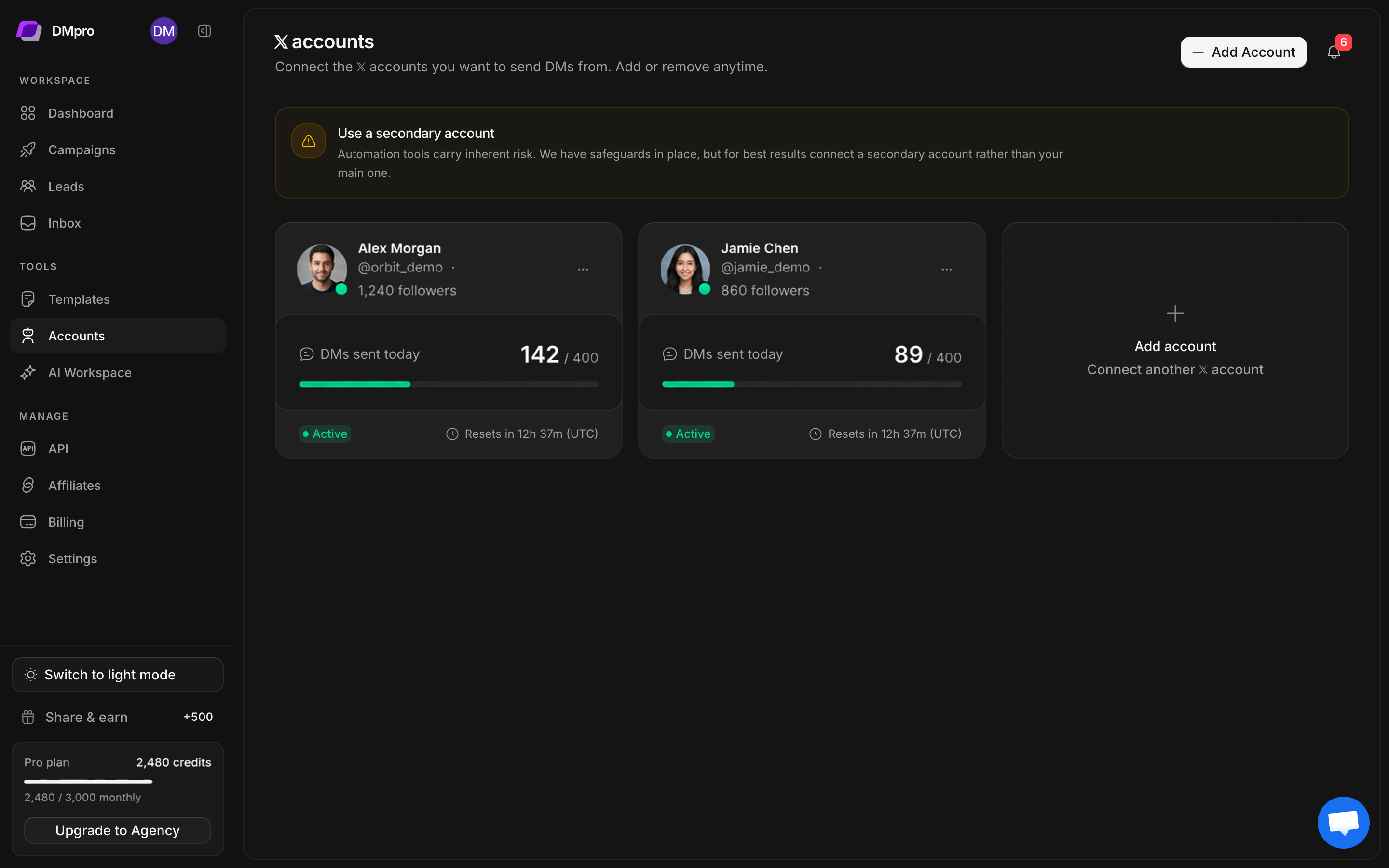
Open Accounts to see each connected X profile. The card identifies the handle, status, current daily DM usage, and reset countdown. Its actions menu contains the available management controls.
Check an account before sending
- Locate the profile by its @username.
- Read its status. Investigate an expired or unavailable session before using it for a campaign.
- Check DMs sent today against the displayed limit.
- Read the reset countdown, which is marked UTC.
- Open the profile’s actions menu for the controls supported by that account.
Daily capacity is separate from workspace credits. Remaining credits do not override an account’s daily cap or a restriction imposed by X.
Refresh an expired session
- Sign in to the same X handle in your browser.
- Complete any login or account challenge on X.
- Export a fresh session using the method in Connect your first account.
- Use the affected account’s reconnect or cookie-update action when offered.
- Check the detected profile carefully, then confirm the update.
- Return to Accounts and verify its status before resuming affected sending.
Do not paste a different profile’s cookies into an existing account. The X identity must match the account you are repairing.
Plan limits and sender selection
The connection dialog shows connected accounts against the allowance. When the allowance is reached, review Billing or deliberately remove an account you no longer need. Removing an account is a separate action from updating an expired session.
During campaign creation, choose the intended sending identities explicitly. In Inbox, confirm the selected X account before replying. Account availability can change after setup, so inspect account health again when a previously working campaign stops progressing.
Troubleshooting order
First check the account on X, then its DMpro status, daily capacity, and session. If the same error remains, record the time, account handle, and displayed error for support. Share the error text without sharing the exported session.