Billing and credits
Open Billing to check your subscription, plan limits, credit balances, and renewal date.
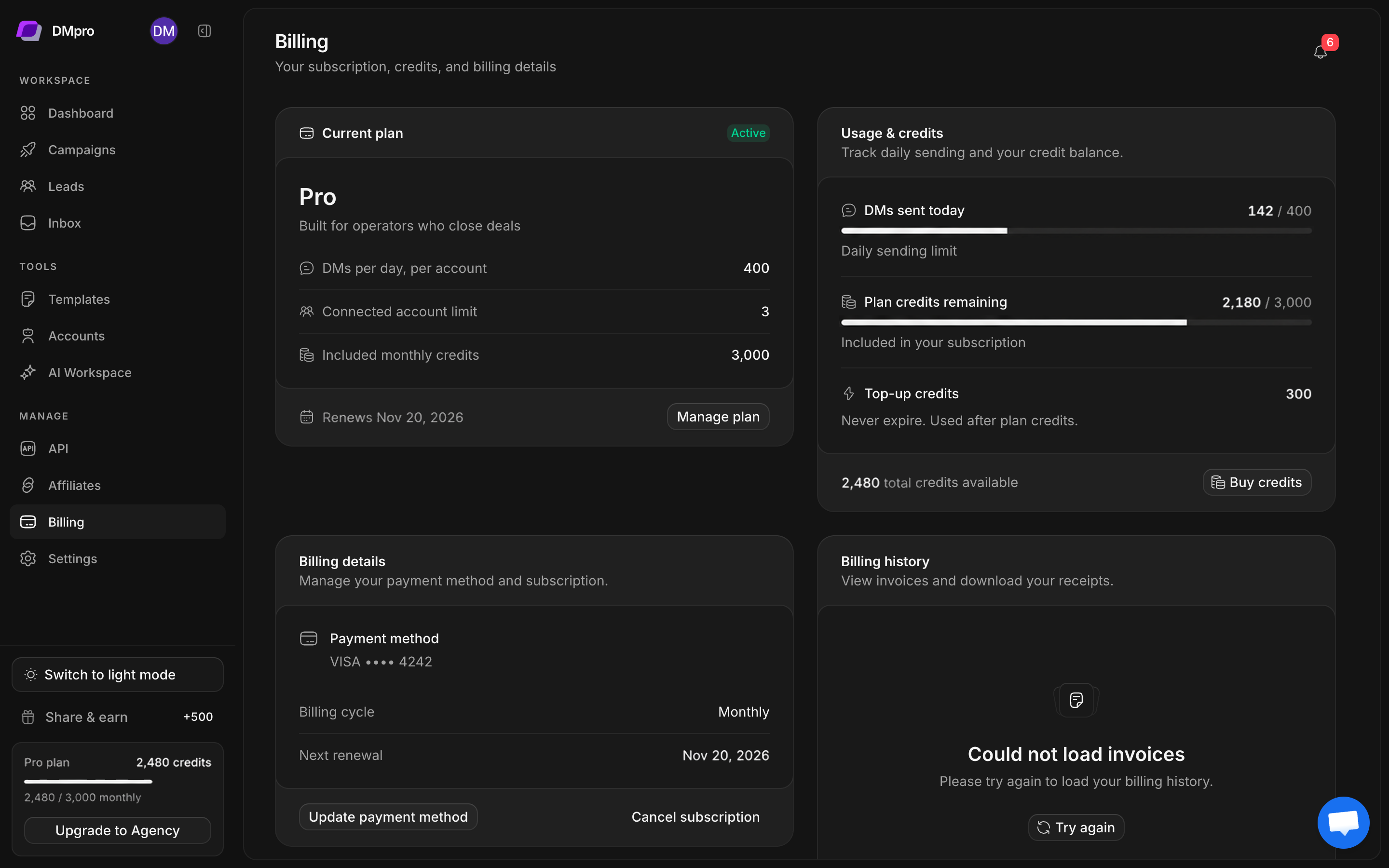
Read your current plan
- Open Billing.
- Read the plan name and subscription-status badge.
- Check DMs per day, per account, Connected account limit, and Included monthly credits.
- Read the renewal, end-date, or lifetime label.
- Review a payment-warning banner before trying another paid action.
Preview access can use a one-time allowance instead of recurring monthly credits. Lifetime subscriptions have different renewal messaging. Read the labels in your workspace rather than inferring billing terms from the plan name.
Distinguish the balances
| Item | What it controls |
|---|---|
| Daily DM limit | Sending capacity for the account and plan rules |
| Plan credits | The included credit balance |
| Top-up credits | An additional credit balance, used after plan credits |
| Connected account limit | How many X accounts the workspace can connect |
Top-up credits are described in the current interface as non-expiring and used after plan credits. Buying credits does not raise every sending limit or remove X restrictions.
The lead-search form displays its cost before submission. The CSV import flow currently does not consume lead-search credits. Check the specific action’s displayed cost instead of treating every action as one credit.
Manage a subscription or payment issue
Use Manage plan when it is available to open the billing-management flow. Review the billing details before confirming changes. For a failed payment, update the payment method through that flow and then recheck the subscription state in DMpro.
An upgrade or top-up button opens a purchase flow. Review the amount, billing interval, and included limits before confirming.
When a limit blocks an action
Determine which limit applies. An account cap, a depleted credit balance, and unavailable API access have different remedies. First compare the action’s message with your plan details, then check account health if sending is affected.