Collect leads from X
Start in Leads → Find leads. You can also open an existing group and use Find leads there to collect into that audience.
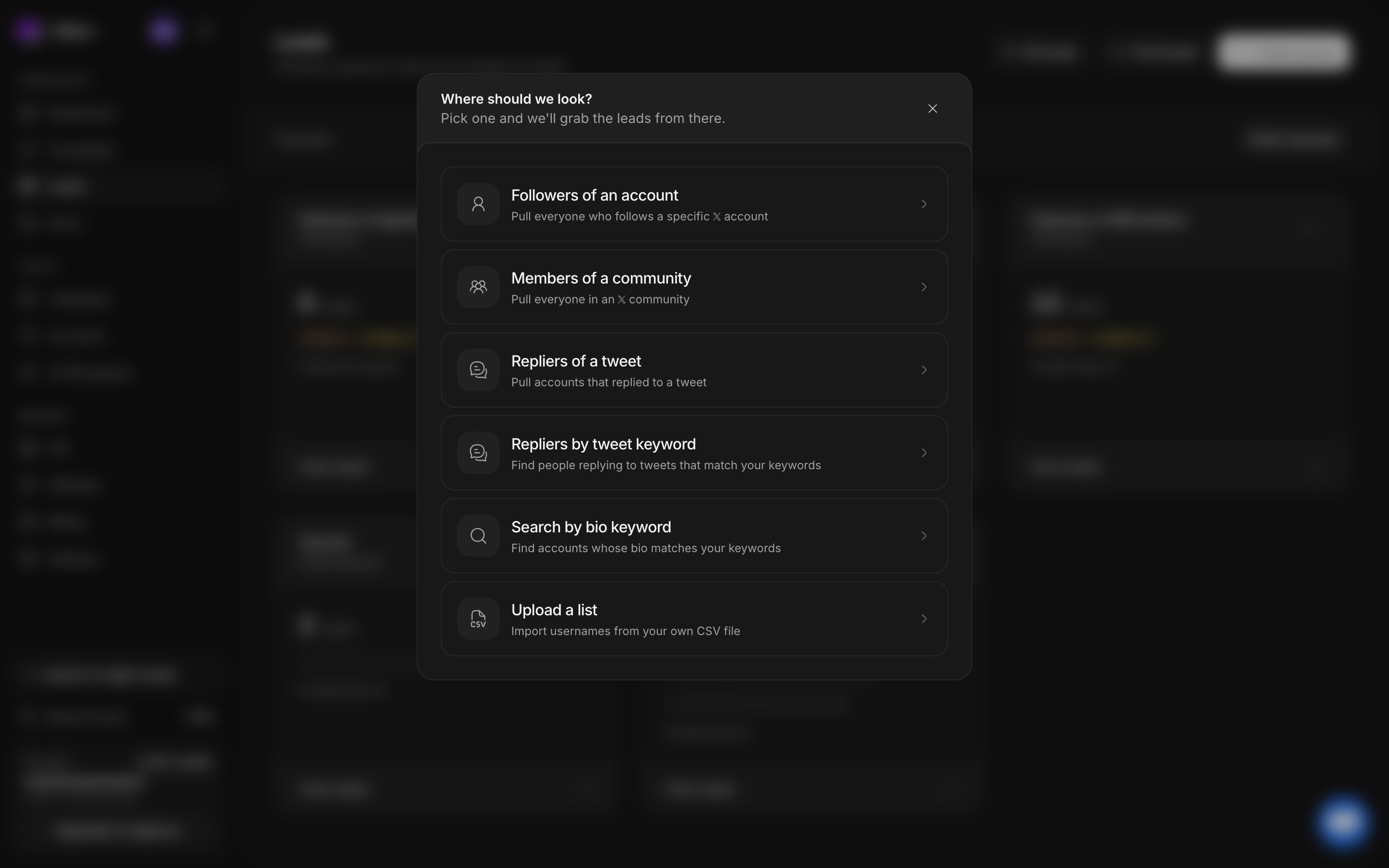
Choose a source
| Source in the app | What to provide | What it collects |
|---|---|---|
| Followers of an account | A target X handle | Profiles following that account |
| Members of a community | A community URL from X | Community member profiles |
| Repliers of a tweet | A specific tweet URL | Profiles that replied to that tweet |
| Repliers by tweet keyword | Keywords for relevant tweets | People replying to matching tweets |
| Search by bio keyword | Terms describing your audience | Profiles matching bio search terms |
| Upload a list | A CSV of X usernames | Profiles from your existing list |
Following an account or replying to a post provides context for collection. It does not establish that a person wants your offer. Review the profiles and qualification evidence before messaging.
Configure and start a search
Choose the source
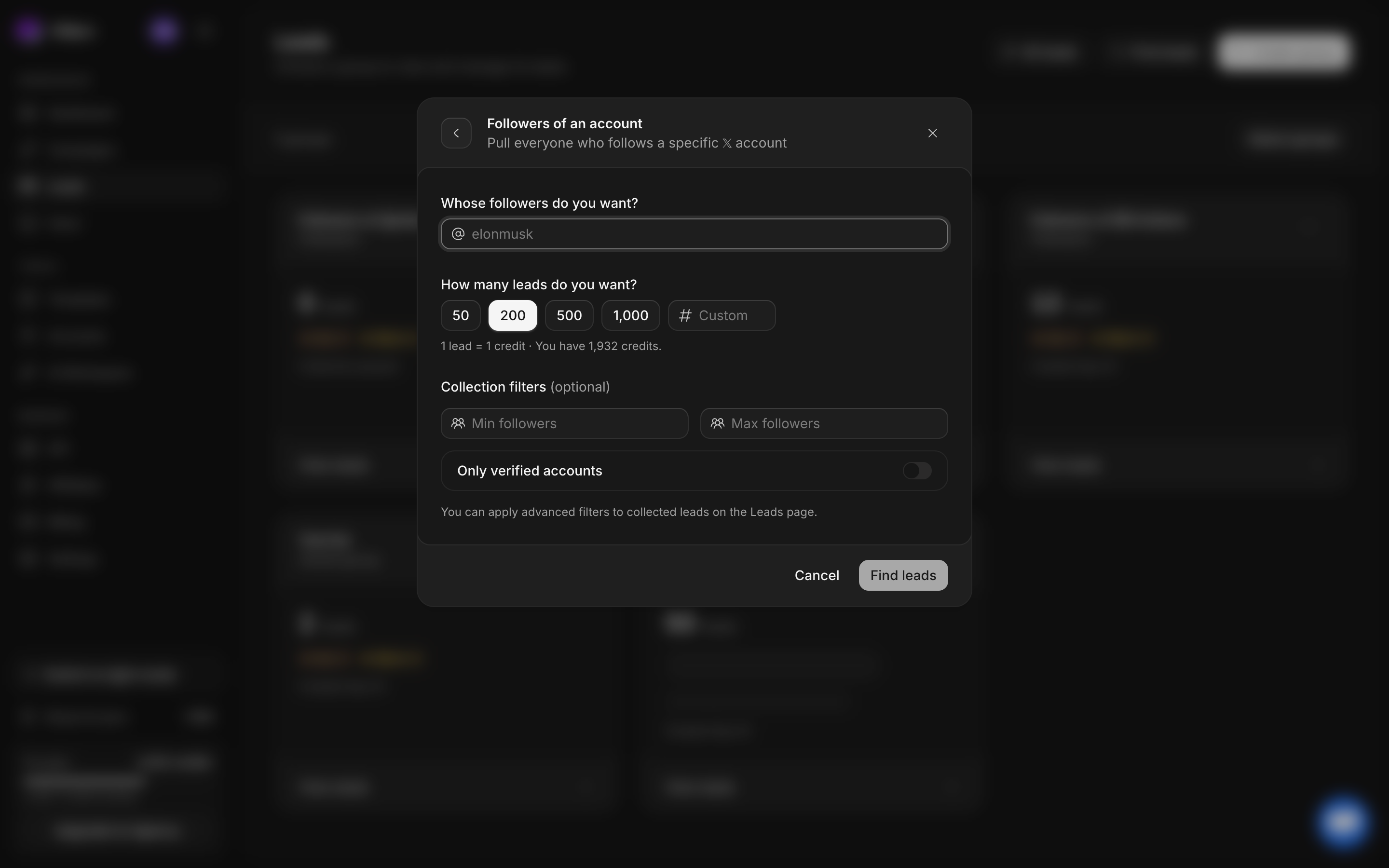
For example, select Followers of an account. The next form asks Whose followers do you want? Enter the handle and check any detected profile preview.
Set a lead limit
Choose the amount of collection you intend. Start small when testing a new source. Read the estimate shown in the form and check your available credits.
Apply filters deliberately
Use follower bounds and the verified-account switch in collection setup. After collection, the Leads page offers advanced filters for included or excluded bio terms, location, account age, profile image, and website. Check whether included terms match all or any terms.
Check the destination
If you started inside a group, verify that group’s name. Otherwise the search creates the destination shown in the flow. CSV imports additionally expose a list or import name.
Review and start
Confirm the source, target, limit, filters, destination, and credit estimate before submitting. Submission starts collection and can consume credits according to the displayed rules.
Inspect the result
Open the group from Leads. Watch collection status and search history, then inspect the actual profiles and DM-access indicators. A paused or still-running collection can have fewer results than its requested limit.
If results are sparse
Check spelling, source accessibility, filters, remaining credits, account health, and collection status. A requested limit is a ceiling, not a guarantee of that many matching accessible profiles. Do not launch identical searches repeatedly before checking the existing run.
Next, organize your lead groups or import a CSV.