Templates and personalization
Templates store reusable message text. Open Templates to browse the library, create a message, or edit an existing one. A saved template is separate from a campaign’s configured message.
Create a template
- Open Templates → New Template.
- Enter a descriptive Template Name.
- Add an optional Category, such as Outreach or Follow-up.
- Write Message Content for a specific audience and purpose.
- Insert supported personalization variables where needed.
- Review the detected variables and the complete message.
- Save the template and confirm that it appears in the library.
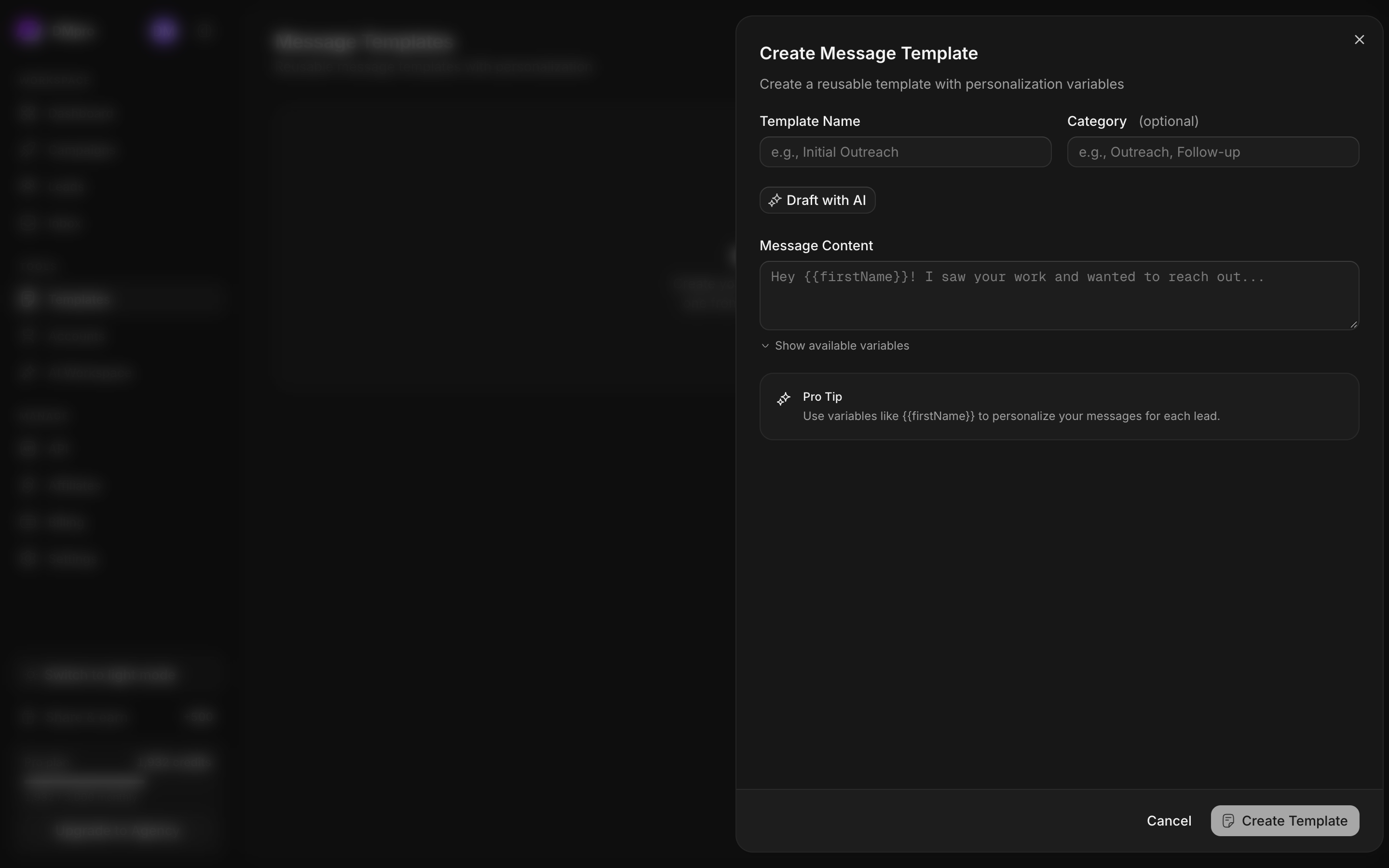
Supported variables
Use double curly braces and the exact case shown below.
| Variable | Value |
|---|---|
{{firstName}} | Lead’s available first-name value |
{{lastName}} | Lead’s available last-name value |
{{fullName}} | Lead’s full-name value |
{{name}} | Alias for full name |
{{displayName}} | Display name, falling back to the handle |
{{username}} | X handle without adding an extra @ automatically |
{{followerCount}} | Formatted follower count when available |
Hi {{firstName}}, I saw your profile on X.
Would a short overview of our service be useful?
Customize the message for your offer. Personalize it using profile details you have checked.
Check missing values
Unknown variable names and missing values can remain unresolved. Before sending, inspect the personalized preview where available. Rewrite a sentence if it depends on a name or profile field you cannot reliably fill.
Using a supported variable name does not guarantee that every lead has that field. Check a few real profiles, including those with unusual display names or sparse information.
Use AI assistance carefully
The editor can propose content. Read the result before applying it, check its claims against your offer, and edit the final message. Applying a proposal changes the editor draft; save to keep it.
Use a template in outreach
Choose the template where the campaign or inbox message control offers it, then read the inserted message in that context. Verify that the campaign step contains the intended final text before saving the workflow. Treat later library edits and existing campaign messages as separate until you have checked the actual campaign content.