Understand your dashboard
The dashboard combines a reporting view with live operational information. Those sections answer different questions, so first check the label above each section.
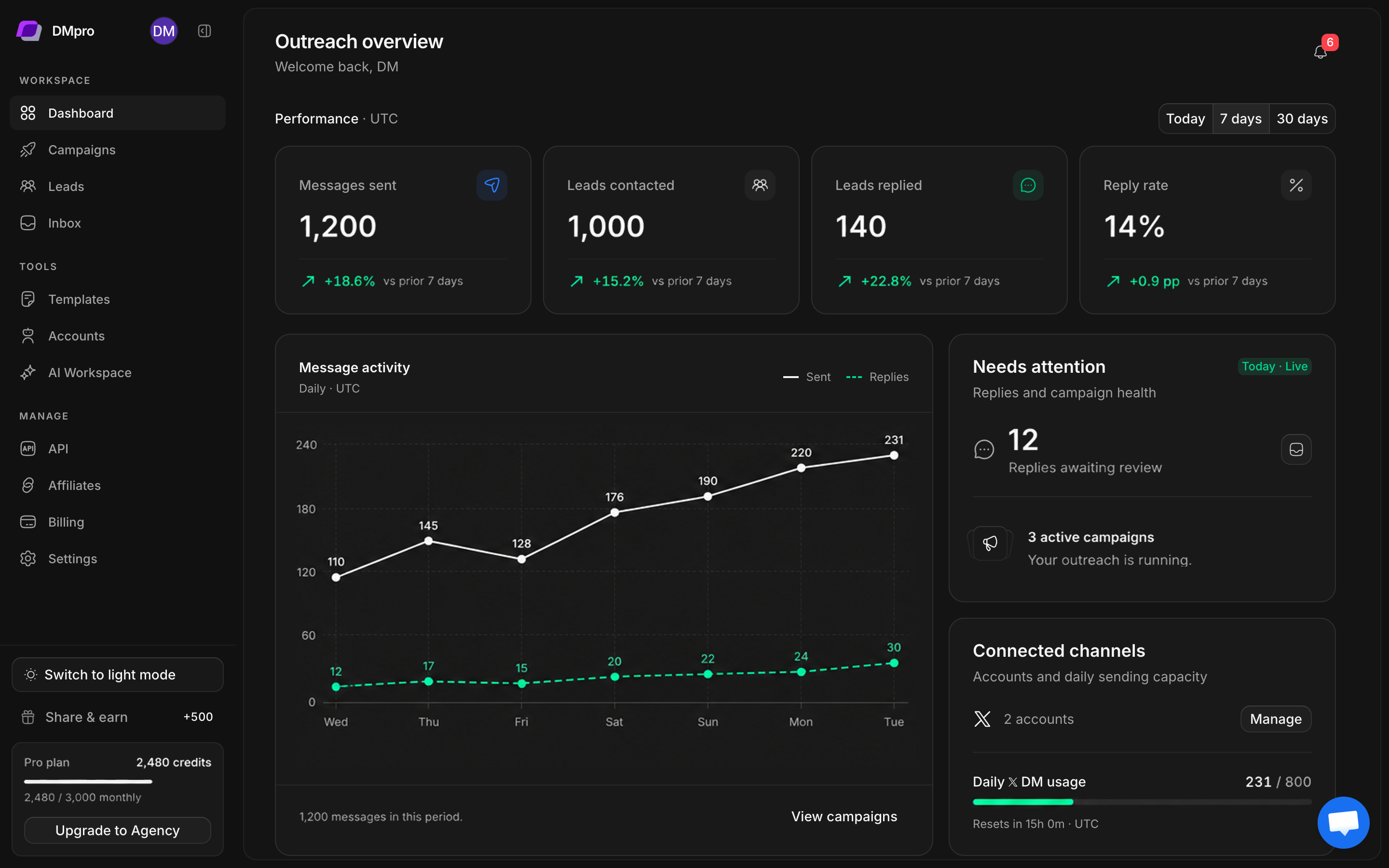
Choose the reporting period
- Open Dashboard.
- Select Today, 7 days, or 30 days above the metrics.
- Read the Performance · UTC label. These reports use UTC boundaries.
- Compare the counters with the activity chart using the same period.
Today groups activity by hour. The longer periods group it by day. If you are comparing an export or your own notes, align the timezone and period first.
Read the four counters
| Metric | Meaning |
|---|---|
| Messages sent | Campaign DM activity in the reporting period |
| Leads contacted | Unique leads contacted during that period |
| Leads replied | Unique contacted leads with replies during that period |
| Reply rate | The reporting view’s reply rate for the selected period |
A lead can receive more than one message, so messages and unique leads need not be equal. Percentage-point change describes the difference between rates. It is a different measure from a percentage change in message count.
Read the operational sections
Needs attention links to inbox work and campaign health. Connected channels shows available accounts and daily sending usage. That usage is independent of the reporting-period selector and includes a UTC reset countdown.
Campaign progress is cumulative. A completed campaign can have activity outside the current reporting window. Latest leads shows recent additions; open a row for its profile and lead details.
When numbers look unexpected
Check the selected reporting window, UTC date boundaries, and whether you are comparing messages with unique leads. A zero chart means no recorded activity in that period; it does not show that a campaign has never sent messages.
For a campaign-specific issue, open that campaign and inspect its lead results. Follow monitoring and controls for the next checks.