Connect your first X account
Connect the X profile you want DMpro to use for outreach. The connection form accepts Cookie-Editor JSON or the value of a browser request’s Cookie header.
Before you start
Sign in to the intended profile on x.com in your browser. If you use multiple profiles, verify the handle on X first. Check Billing if your workspace has reached its connected-account allowance.
Keep your session private
Cookies provide access to your X session. Paste them only into the account-connection form. Do not include them in screenshots, shared documents, support messages, or source files.
Export and connect
Open the connection form
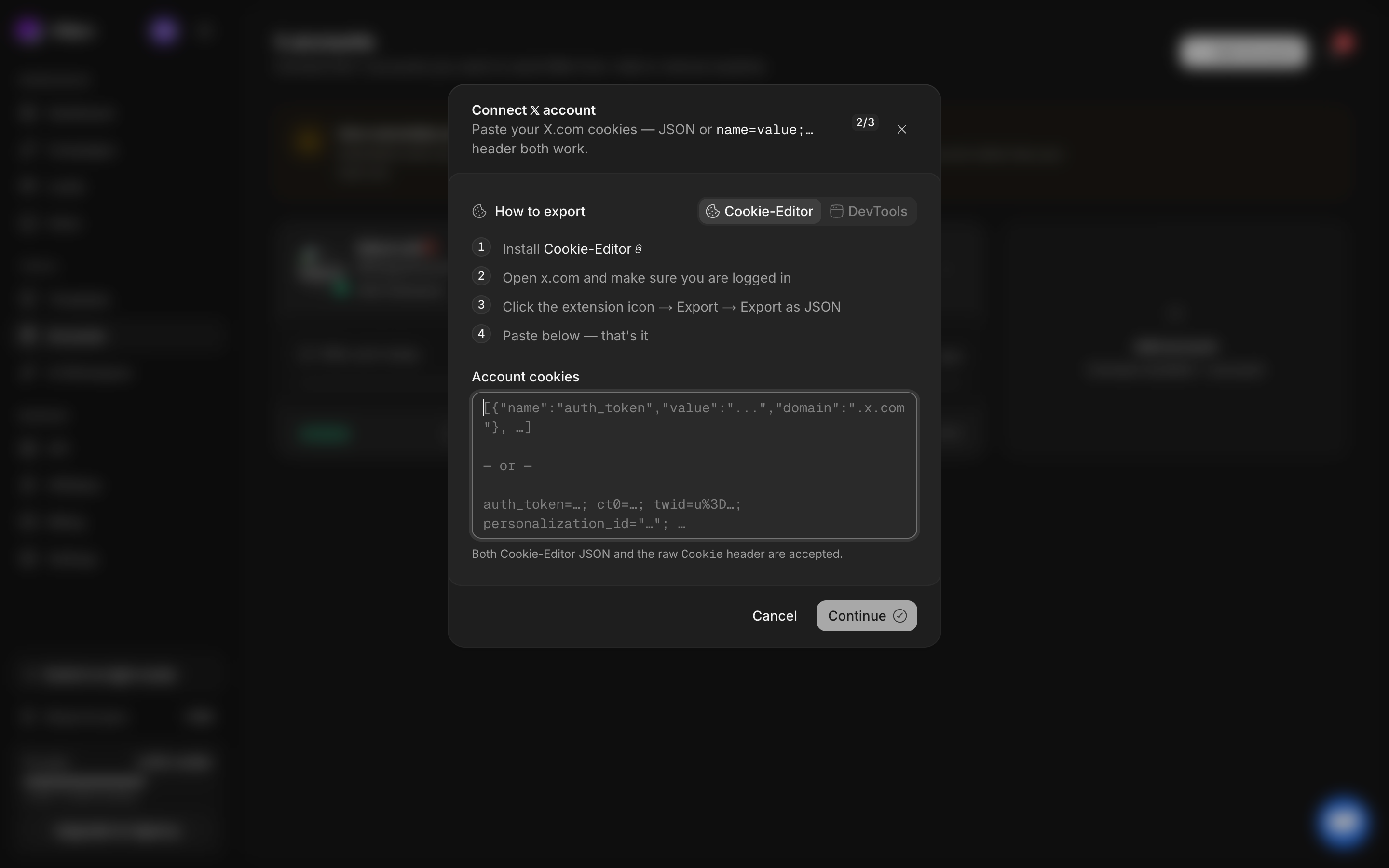
In DMpro, select Accounts → Add Account. The dialog is titled Connect 𝕏 account and shows your current account allowance.
Export cookies from X
In the dialog’s Cookie-Editor instructions, follow the extension link if you need it. Return to x.com while signed in to the intended profile. Open the extension, choose Export, then Export as JSON. Copy the complete exported content.
Paste the complete export
Return to DMpro and paste into Account cookies. Keep the JSON intact. The form also accepts a complete raw Cookie header value, as described below.
Detect the profile
Select Continue. Wait for profile detection. If validation fails, read the error, export a fresh session from x.com, and retry. Do not repeatedly submit an unchanged invalid export.
Check and confirm the identity
Compare the detected username, display name, and profile information with the account you intended to connect. Go back if they do not match. Confirm the connection only after checking the handle.
Verify the account card
Return to Accounts. Find the new profile and check its status and daily DM usage. An available account can then be selected during campaign creation.
Alternative: copy the request Cookie header
- Open x.com while signed in to the right profile.
- Open the browser’s developer tools and select Network.
- Reload X so the Network panel contains requests.
- Select a request to X and open Request Headers.
- Copy the value of Cookie, then paste the complete value into Account cookies in DMpro.
- Continue through profile detection and confirmation as above.
If connection is blocked
An allowance prompt means the workspace has reached its plan limit. A session or authentication error means the exported session needs attention. These require different fixes. See manage accounts and sessions before removing an existing account.